
[vc_row content_placement=”middle” css=”.vc_custom_1608222571425{padding-top: 20px !important;padding-bottom: 20px !important;}”][vc_column][vc_row_inner][vc_column_inner][vc_custom_heading text=”Inventory and Sales Spreadsheet” css=”.vc_custom_1608222670168{padding-bottom: 20px !important;}”][vc_column_text css=”.vc_custom_1608223575123{padding-bottom: 20px !important;}”]Do you sell handmade on Esty?
Do you purchase to resell on Ebay and Amazon?
Do you private label from China?
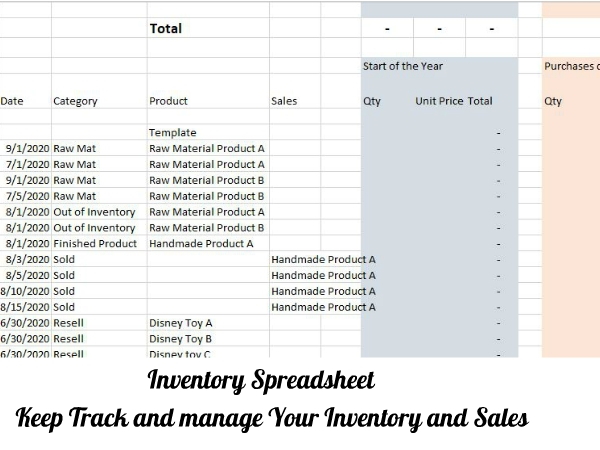
If you just started selling products online and don’t have an accounting software to keep track your inventory, you could manage your inventory and sales in Excel.
You could design your own or download a copy below to get started.
Some formula might not be accurate. If we notice it, we would update the spreadsheet.
The spreadsheet is not locked allowing you to update formula as you wish on your spreadsheet once you download it.[/vc_column_text][tagline_box call_text=”Inventory and Sales Spreadsheet” call_text_small=”Keep track of inventory and sales throughout the year allows you to be ready to report Sales Tax to your State on time and accurately and be ready to file your business tax.” title=”Free Inventory Spreadsheet” href=”https://ninasoap.com/wp-content/uploads/2020/12/How-to-manage-your-inventory-11-15-20.xlsx”][/vc_column_inner][/vc_row_inner][vc_row_inner][vc_column_inner][/vc_column_inner][/vc_row_inner][vc_row_inner][vc_column_inner][/vc_column_inner][/vc_row_inner][vc_row_inner][vc_column_inner][/vc_column_inner][/vc_row_inner][vc_row_inner][vc_column_inner][/vc_column_inner][/vc_row_inner][vc_row_inner][vc_column_inner][/vc_column_inner][/vc_row_inner][/vc_column][/vc_row]